
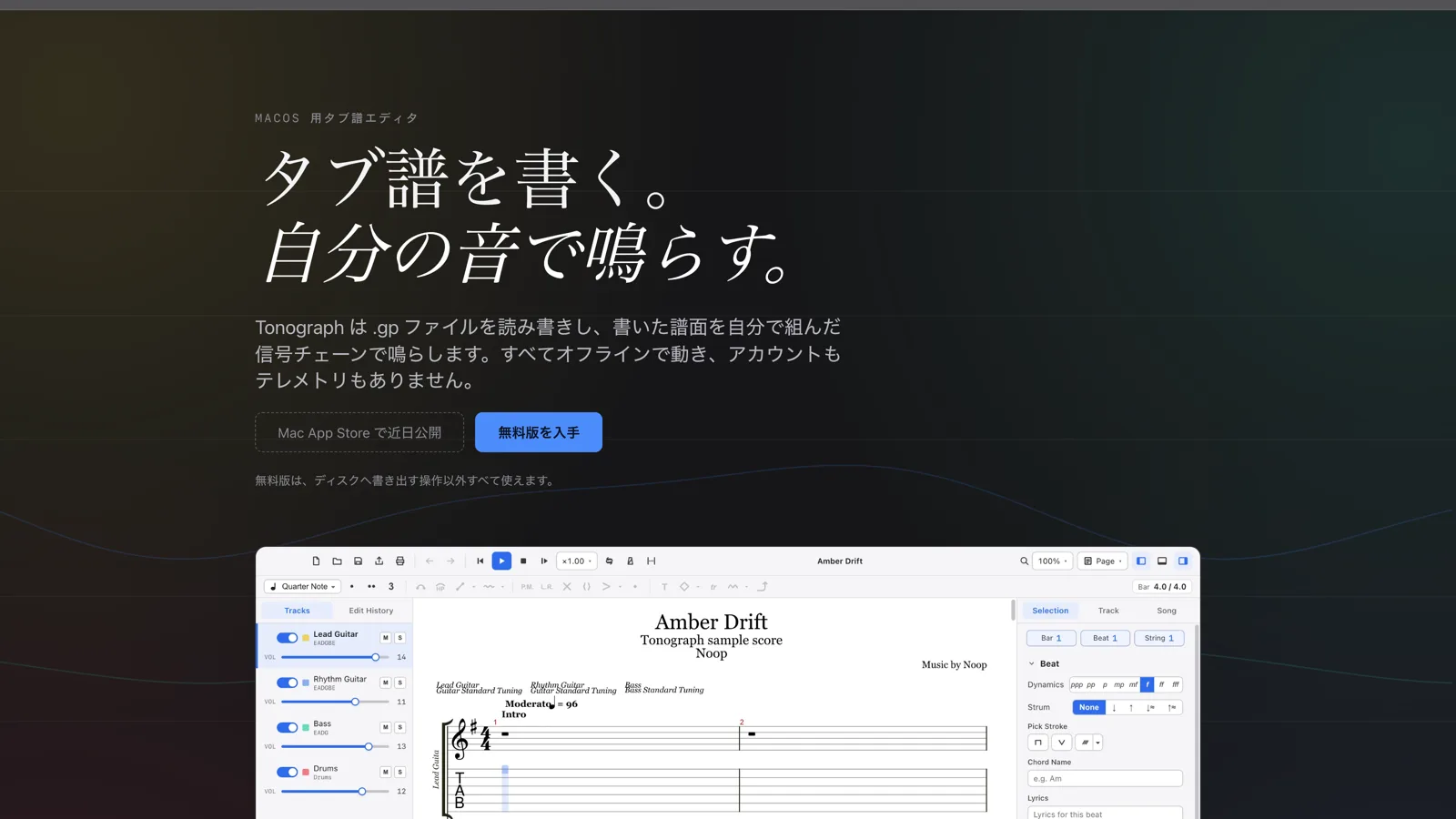

Tonograph is now on the Mac App Store
Tonograph, the tablature editor for macOS that Noop builds, has passed Mac App Store review and went on sale on 24 September. It plays the score you write through a pedalboard you build yourself. It is a one-time purchase — $29.99 in the US, ¥4,000 in Japan.
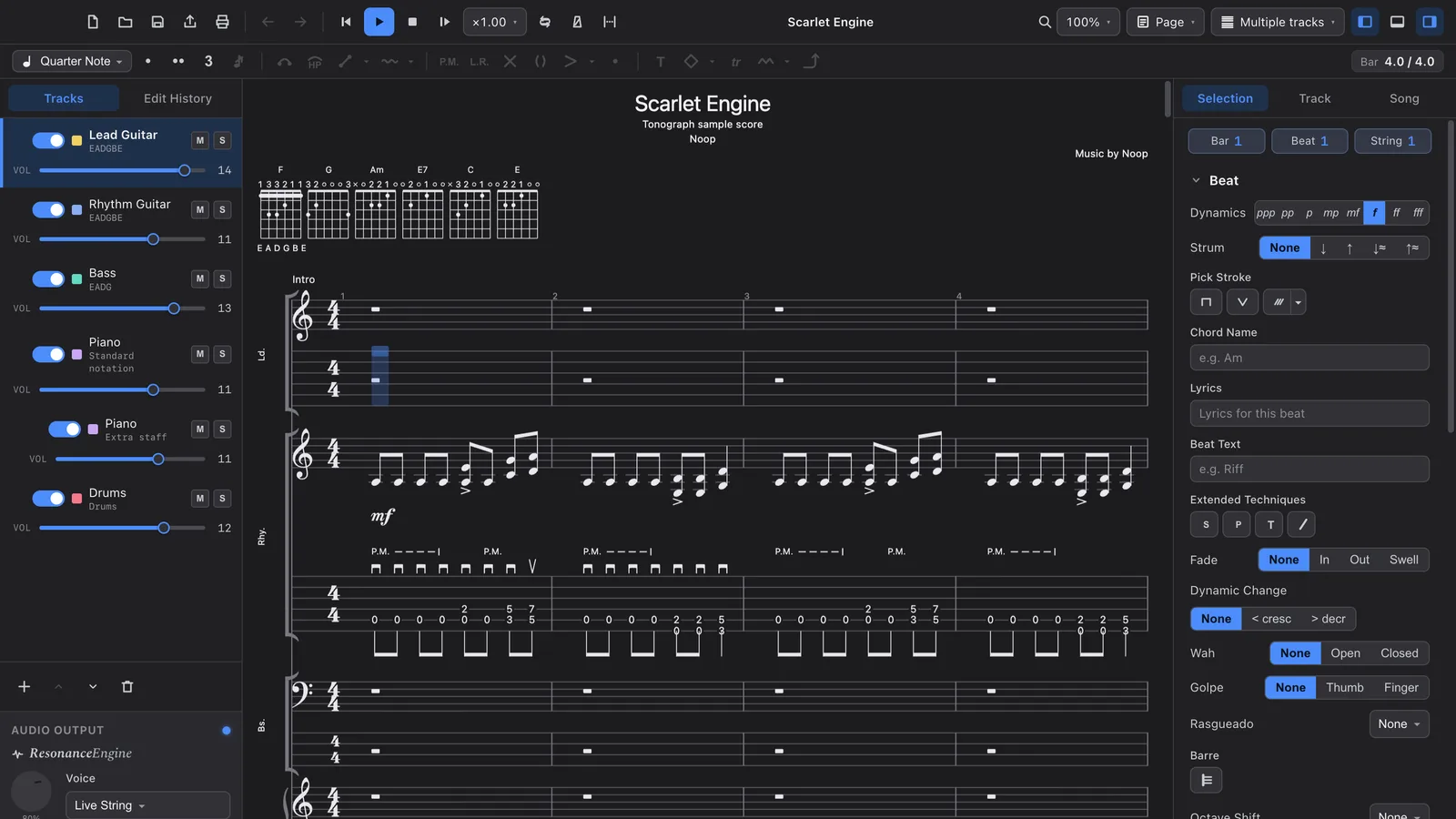
Tonograph, the tablature editor for macOS that Noop builds as its own product, has passed Mac App Store review and went on sale on 24 September.
→ See Tonograph on the Mac App Store
Tonograph is a tab editor for people who play guitar and bass. Besides writing tab, it plays your score through a pedalboard of effects you arrange yourself, so you can hear a phrase much as it sounds when you actually play it. This post walks through what version 1.0.0 can do, screen by screen.
Write quickly from the keyboard
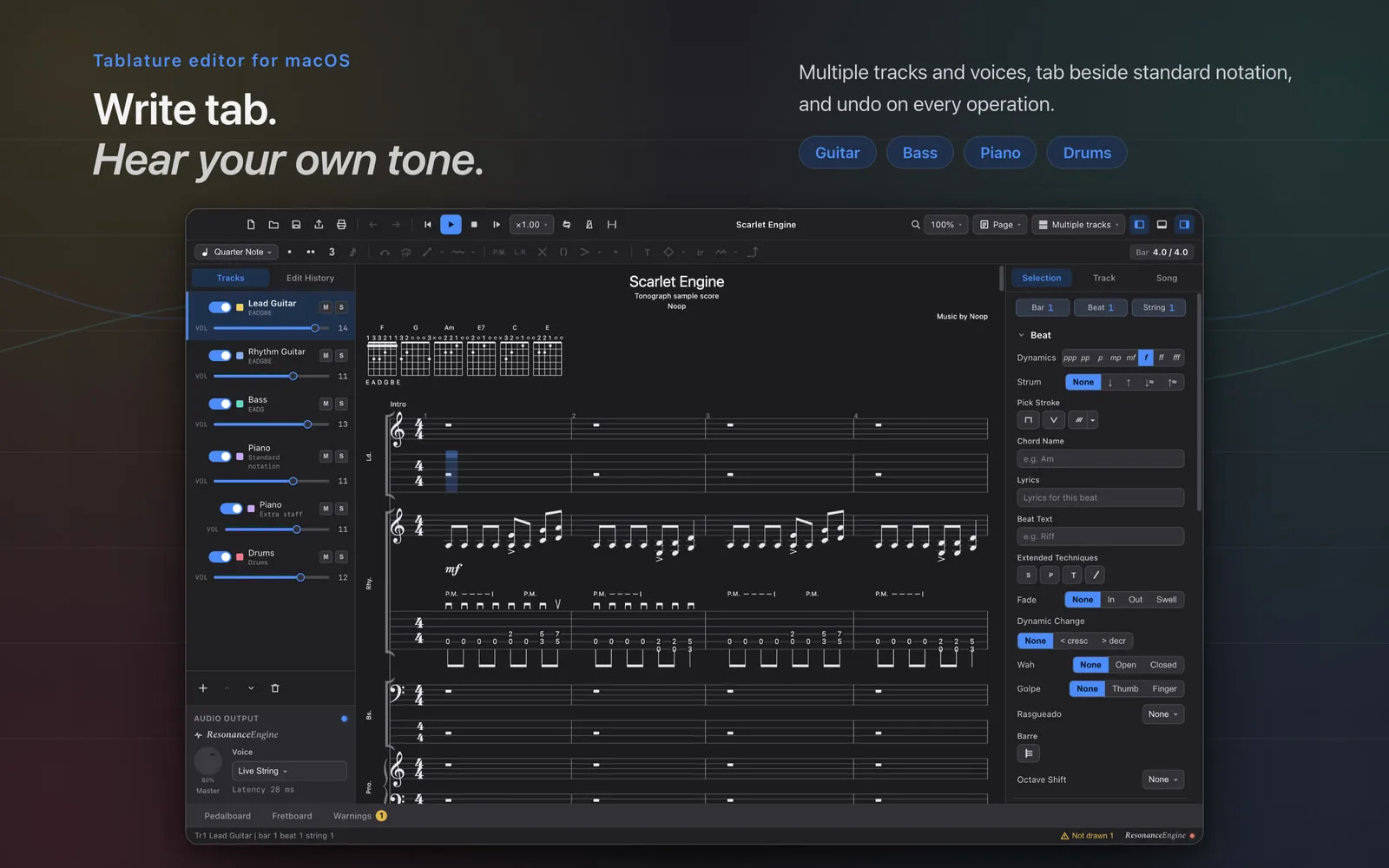
Type frets with the number keys and move between beats and strings with the arrow keys. The + and - keys lengthen or shorten a note, and techniques such as hammer-ons, slides and palm mutes each sit on a single key. Every operation can be undone and redone, so you can try things as you write.
Scores can hold multiple tracks and voices, with tab and standard notation shown side by side. Besides guitar and bass you can write piano on a grand staff and drums. When the notes in a bar add up to less or more than the time signature allows, the editor shows it at all times, and it can fill the gap with rests for you.
Play it through a pedalboard you build
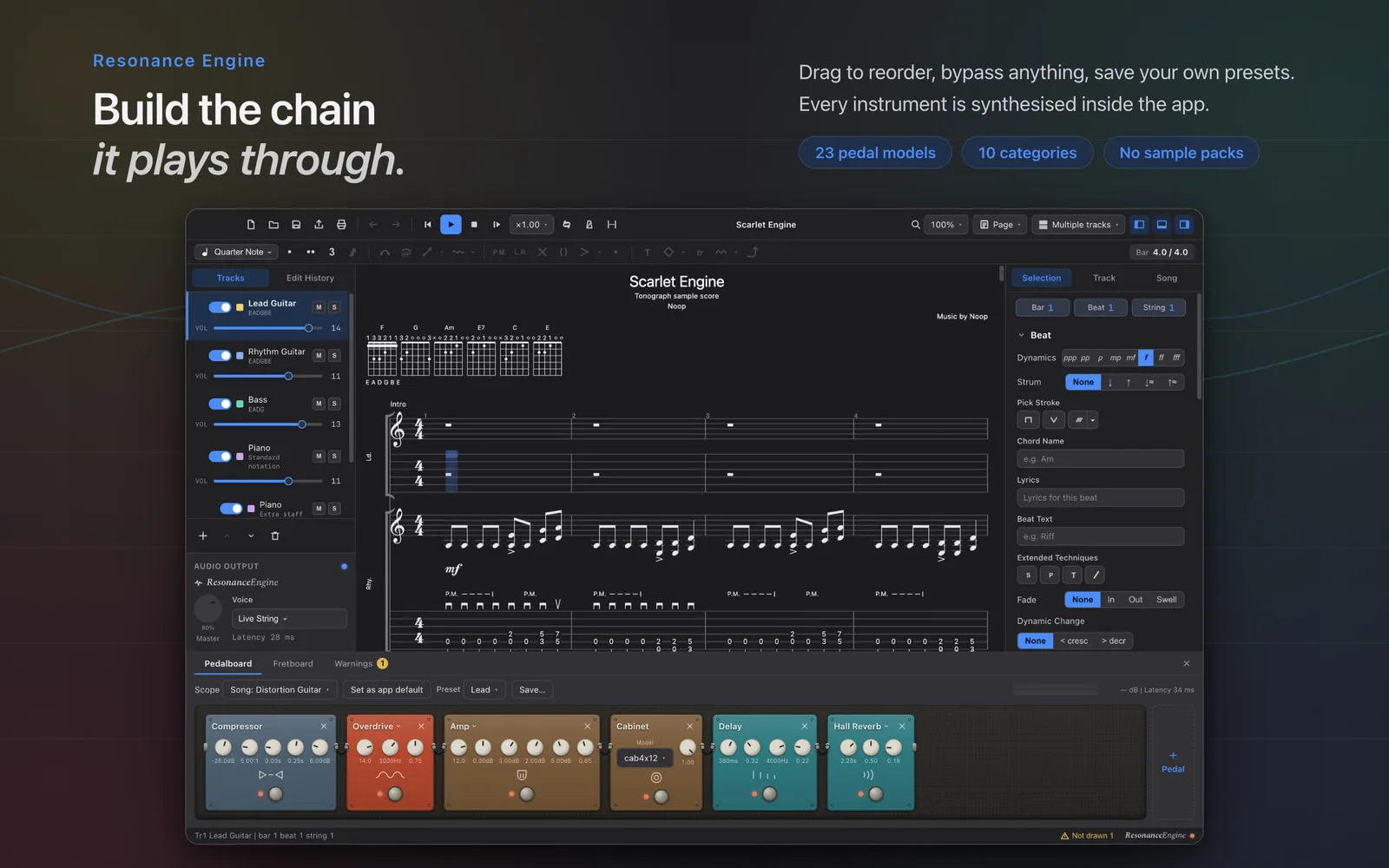
Most notation software plays back through a fixed sound set, so you never hear a phrase in your own guitar tone. In Tonograph, playback runs through the Resonance Engine: 23 effect models across 10 categories, from compressor, overdrive and distortion to amp, cabinet, delay and reverb. Drag them into any order, switch each one on or off, and save the combination as a preset. Each track can have a board of its own.
Every instrument is synthesised inside the app, so there are no sample packs to download and no plug-ins to set up. Techniques such as palm mutes, dead notes and harmonics change the tone itself, not just the volume. A per-track mixer handles volume, pan, mute and solo.
See it on the fretboard, keys and drum pads
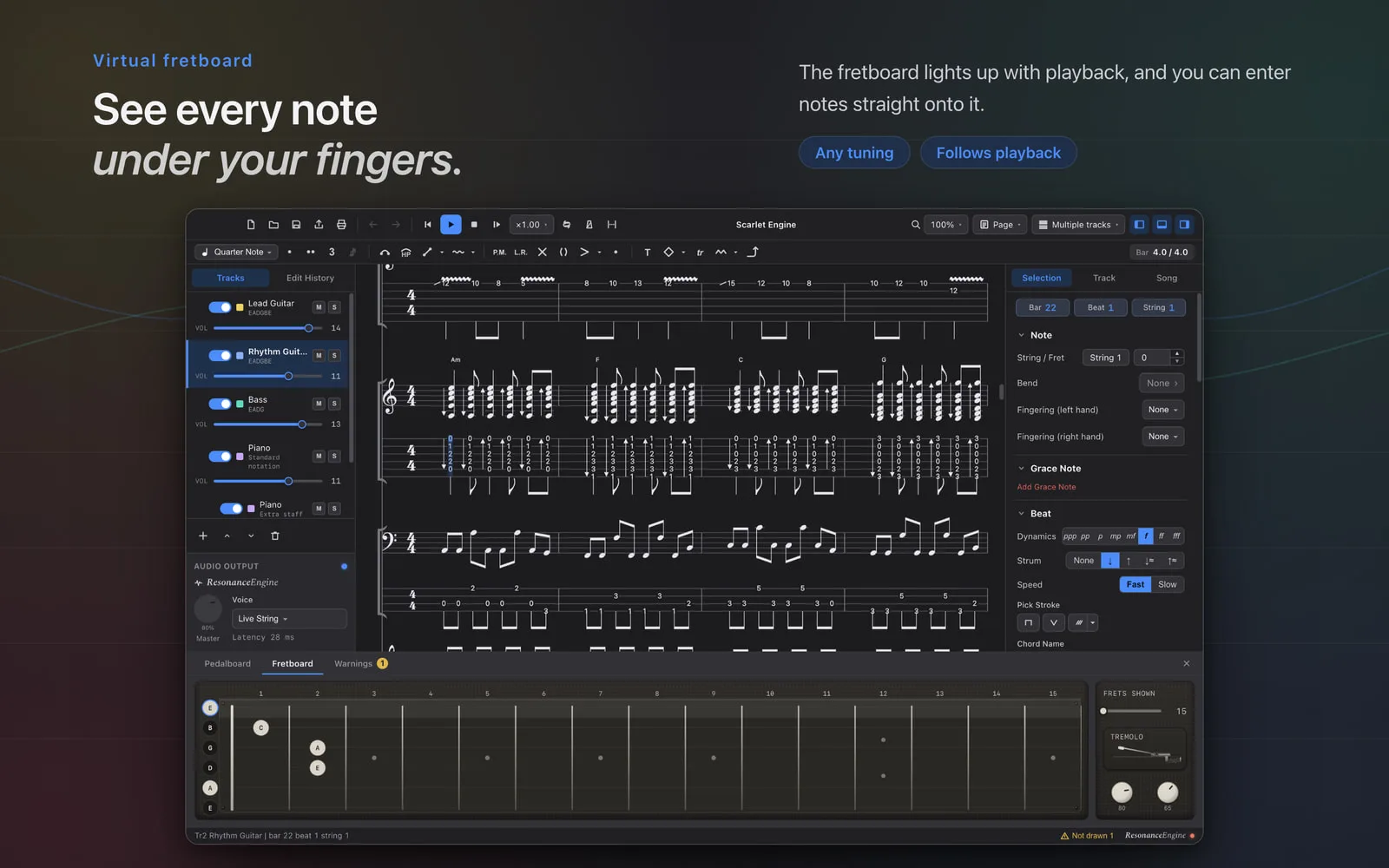
The virtual fretboard at the bottom of the window lights up where the notes are played, and you can click it to enter notes. Any tuning works.
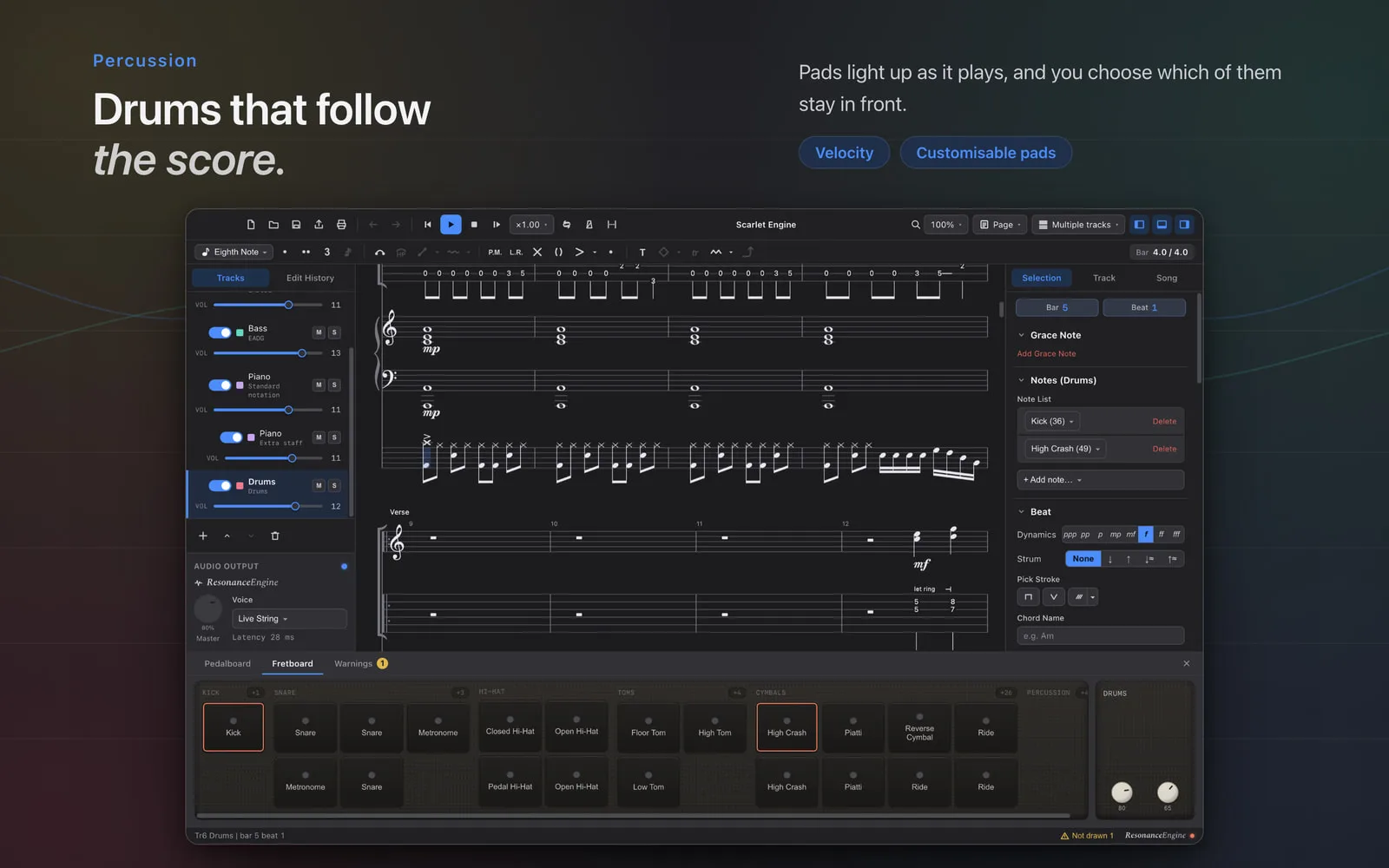
Piano tracks light up a keyboard and drum tracks light up pads in the same way, and you choose which drum pads stay at the front.
Read and write .gp files
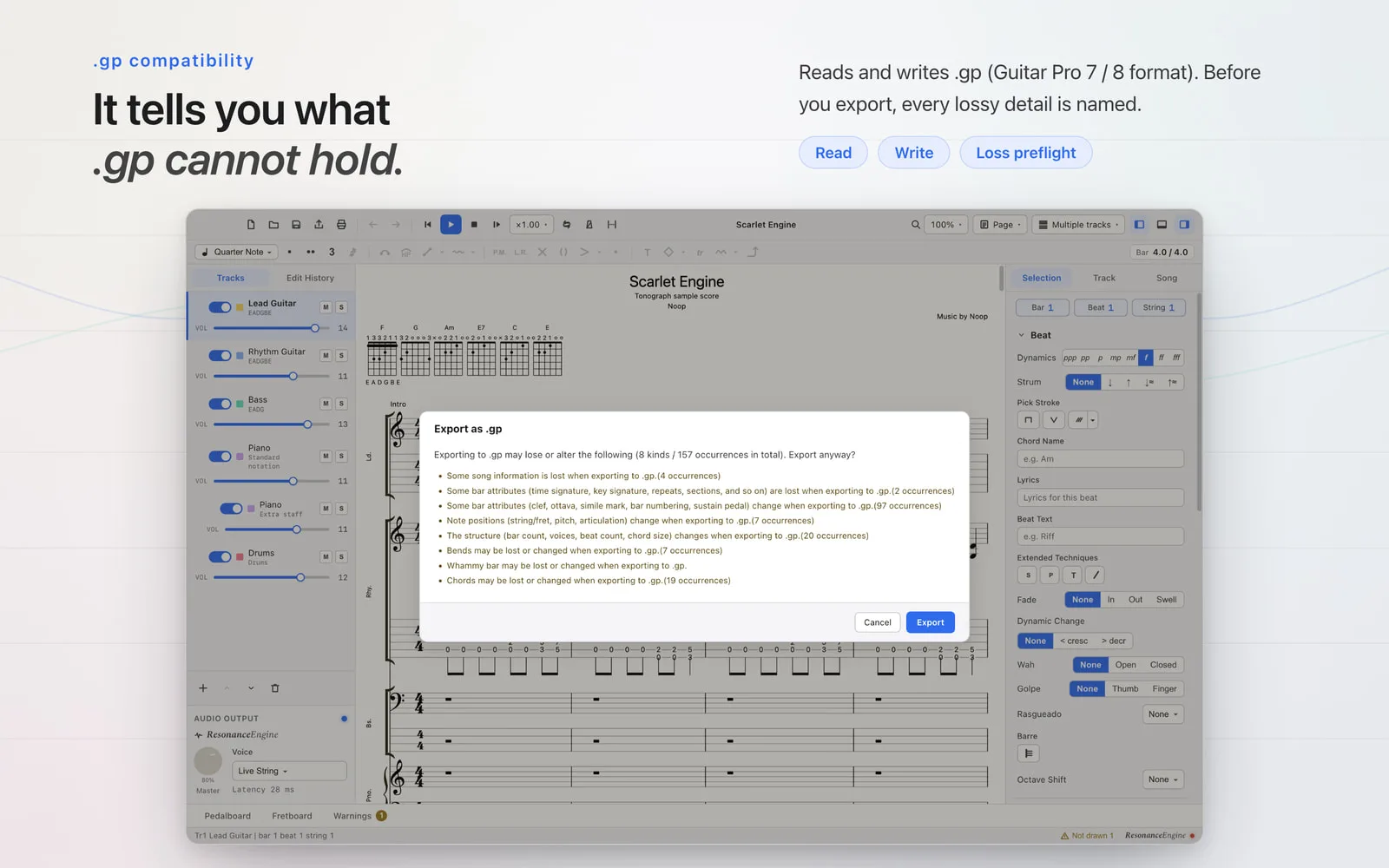
Tonograph opens and edits .gp files in the Guitar Pro 7 / 8 format and exports back to .gp. If something in your score cannot be expressed in .gp, it lists it before you export, so you know exactly what will be lost before you save. Files saved by Guitar Pro 6 or earlier (.gp3, .gp4, .gp5, .gpx) open once you re-save them as .gp in Guitar Pro 8.
PDF and printing
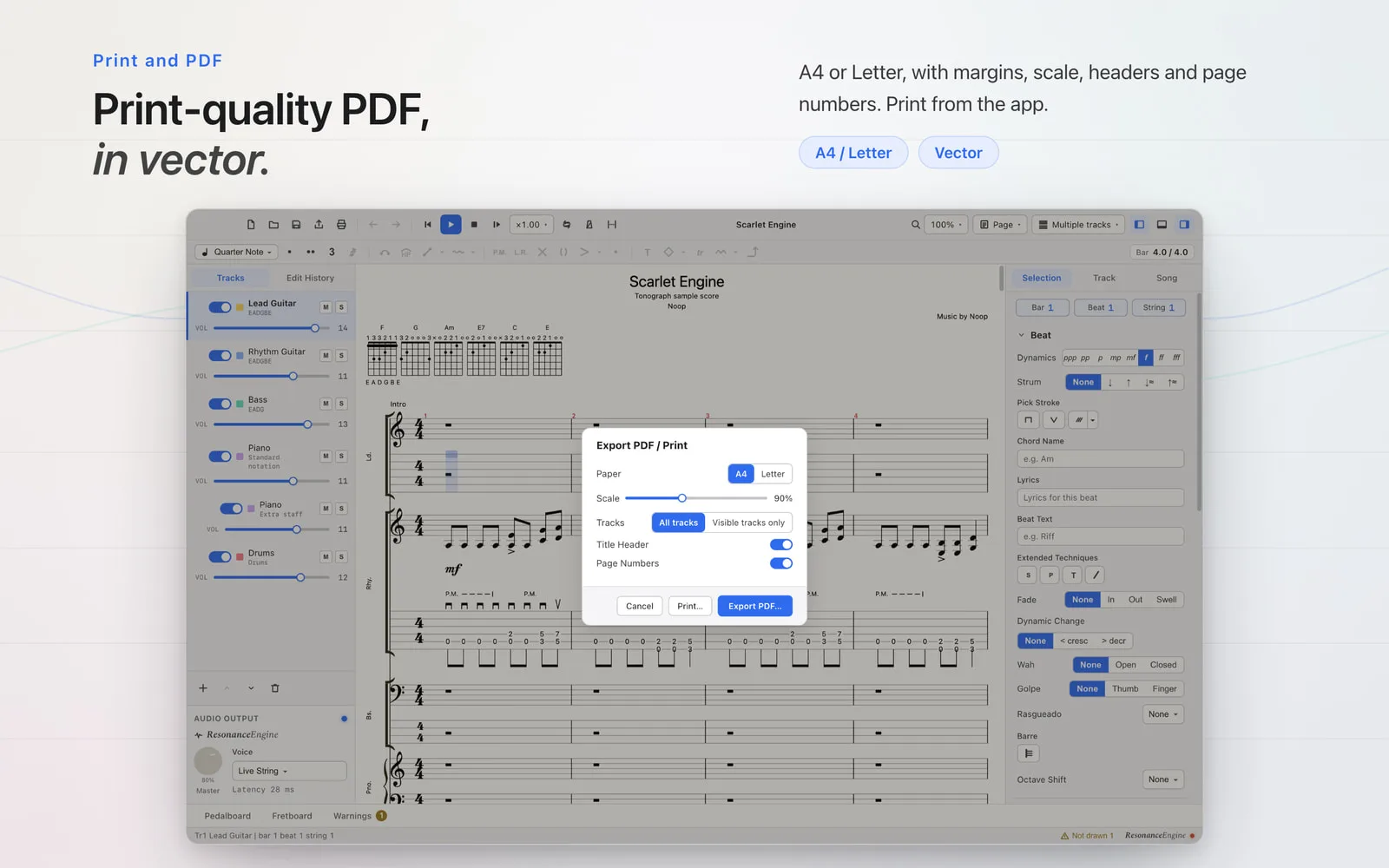
Export your score as a PDF at A4 or Letter. It is vector output, so lines and text stay sharp however far you zoom in. You can set margins, scale, headers and page numbers, or print straight from the app.
Write with AI
Tonograph supports MCP (Model Context Protocol). Connect an AI assistant such as Claude Desktop and it can read and edit the score you have open. It offers 24 operations covering reading, editing and undo, and the AI can ask for any range of bars as an image, so it can look at what it wrote and check its own work.
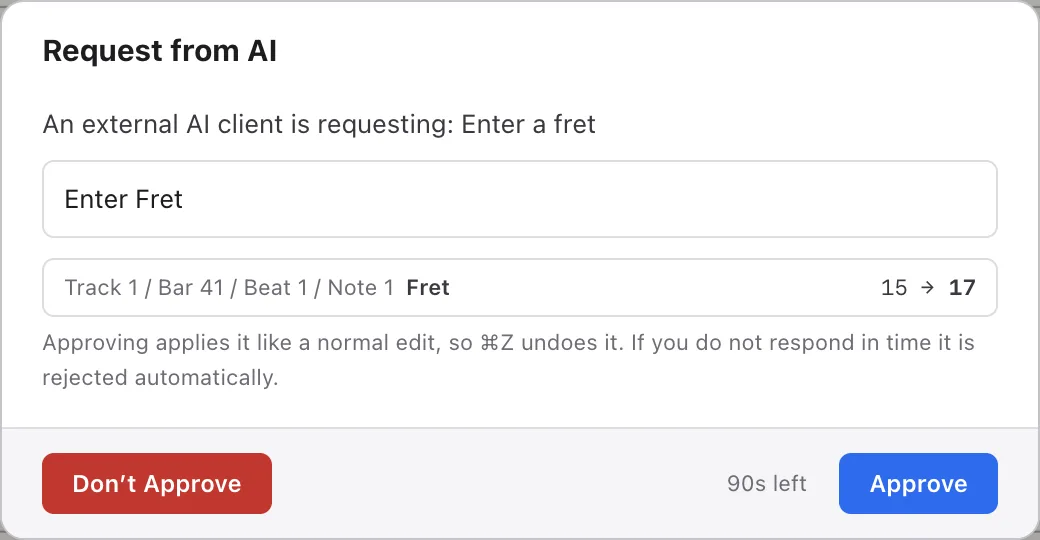
Changes made by the AI join the same history as your own edits, so ⌘Z undoes them. With approval mode on, each change the AI wants to make is shown to you first, and only what you approve is applied. The MCP server is off by default, and even when enabled it accepts connections only from inside your own Mac.
Price and requirements
- Price — $29.99 in the US and ¥4,000 in Japan, as a one-time purchase with no subscription and no in-app purchases. Other countries and regions follow the App Store's regional pricing
- Requirements — macOS 12.0 (Monterey) or later, on Apple Silicon and Intel
- Languages — English, Japanese, Spanish, Portuguese and Simplified Chinese; light and dark, following your macOS appearance setting
- Privacy — no account needed, and every feature works without an internet connection. Tonograph collects nothing about you or your scores
- Included scores — "Scarlet Engine" and "Rosewood Letters", written for Tonograph, and Francisco Tárrega's "Lágrima" (public domain)
Updates arrive through the Mac App Store, and a Windows version is being prepared for the Microsoft Store. More about the product is on tonograph.app, and the story behind it is in the case study → CASE: Tonograph
Guitar Pro is a trademark of Arobas Music. Tonograph is not affiliated with, or endorsed by, Arobas Music.
A tablature editor for macOS. It reads and writes .gp files and plays your score through a pedalboard you build yourself.
A one-time purchase: $29.99 in the US and ¥4,000 in Japan. No subscription, no in-app purchases.
On sale on the Mac App Store since 24 September 2026. A Windows version is being prepared for the Microsoft Store.