

Announcing Tonograph, our own product
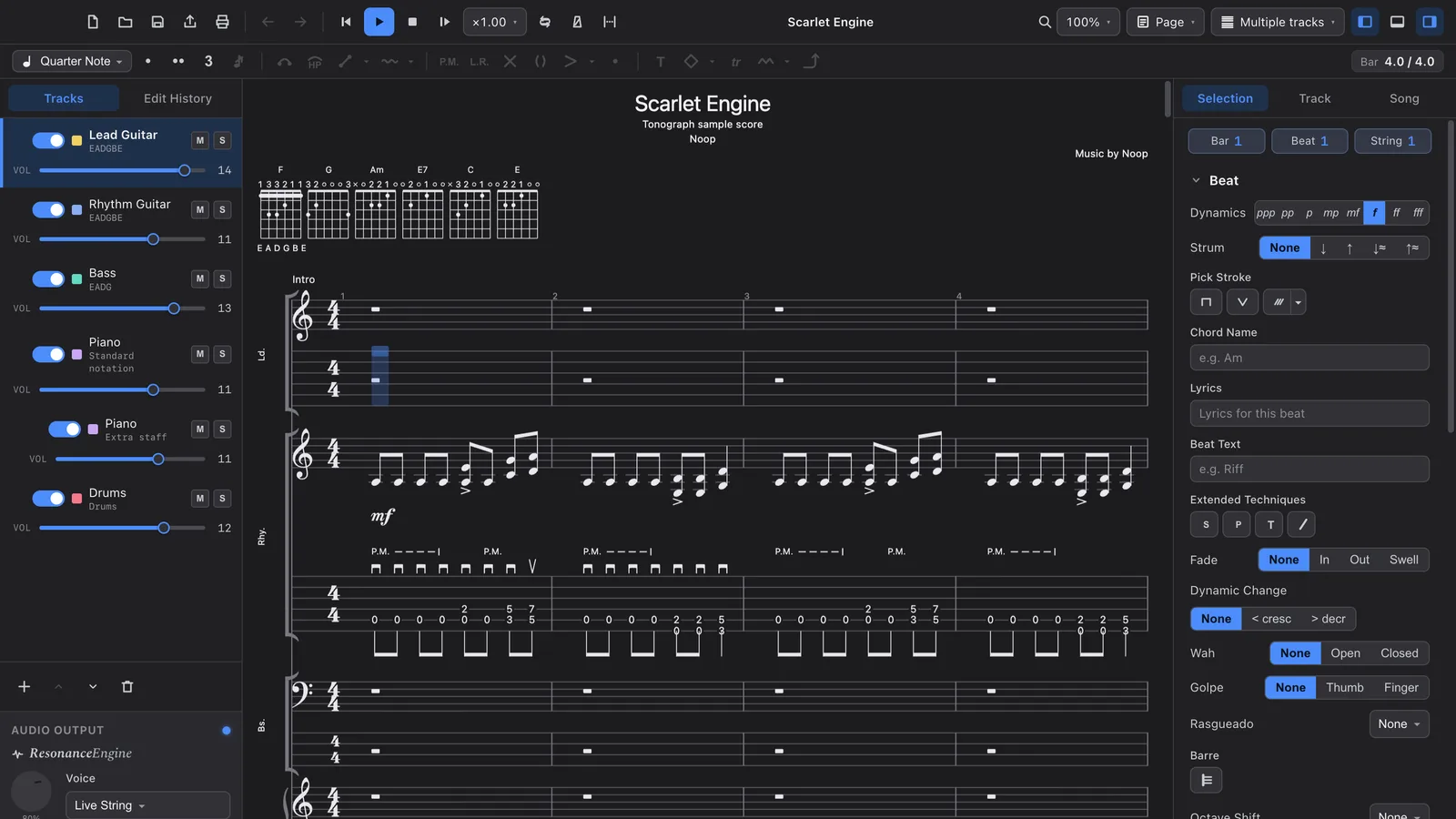
We are building Tonograph, a tablature editor for macOS. Today we published its product site, tonograph.app, ahead of the app itself. You write tab — and play it back through a pedalboard you build yourself.
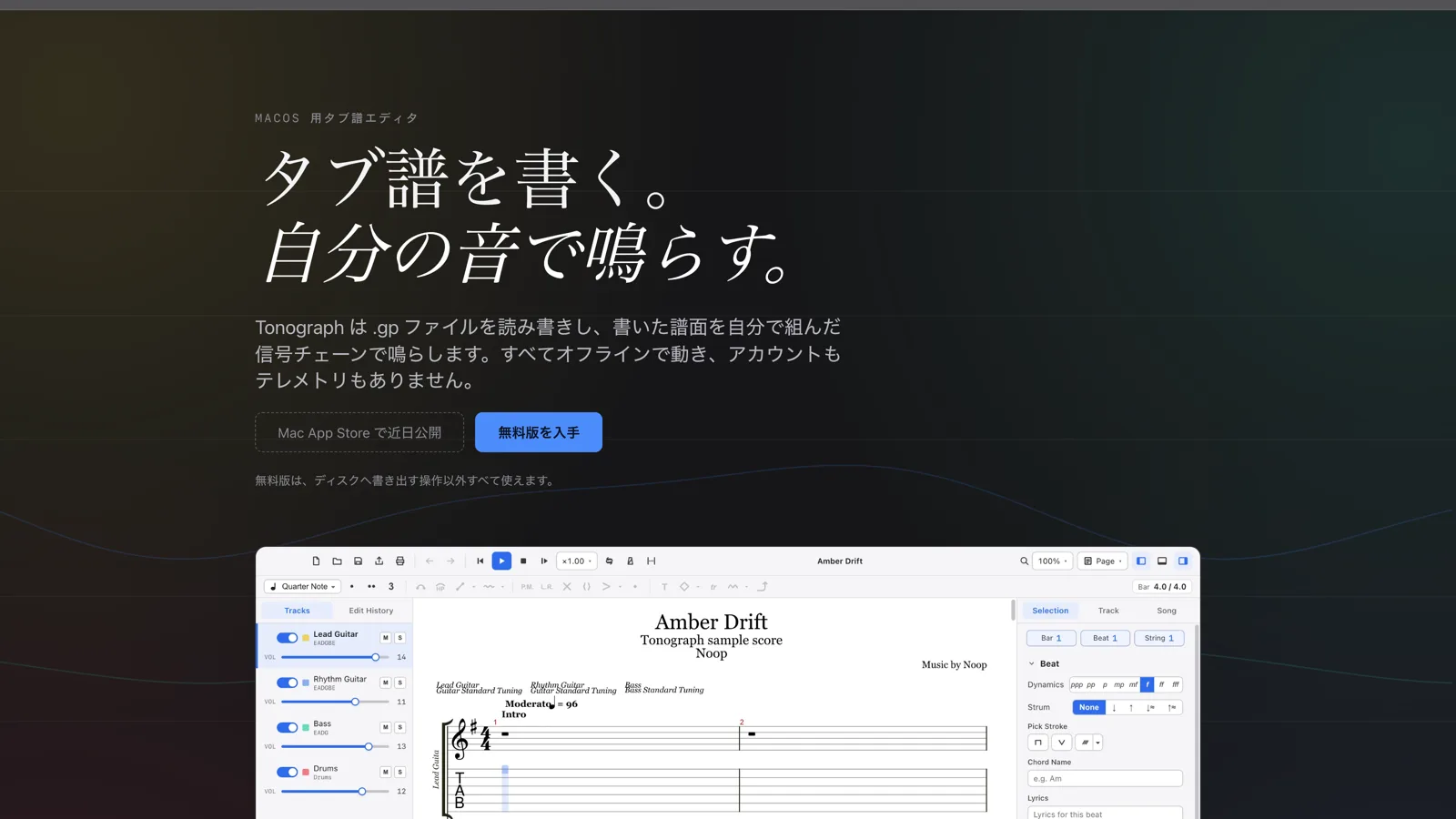
We are building Tonograph, a tablature editor for macOS, as Noop's own product. Today we published its product site: tonograph.app.
Write tab. Hear your own tone.
Tonograph reads and writes .gp files and plays what you write through a signal chain you build yourself. Everything runs offline — no account, no telemetry.

It stands on four pillars.
- A real editor — keyboard-first editing, Undo / Redo on every operation, multiple tracks and voices, tab and standard notation together
- Resonance Engine — 22 pedal models across 10 categories, plus a per-track mixer
.gpcompatible — reads gp3, gp4, gp5, gpx and gp; writes.gp- Print-quality PDF — vector output for A4 / Letter
Why we are building it
Most notation apps hand playback to a fixed sound source. The phrase you wrote comes back as "notation audio" — something other than the sound you actually play.
Tonograph routes playback through a pedalboard you arrange yourself, so the phrase you just wrote returns in the sound you really play. Every instrument is synthesised inside the app: no sample packs, no external plugins. Technique reaches timbre, not just volume — palm mutes shorten the decay, dead notes choke the sound, harmonics strip the fundamental.
Writing with AI, inside the app
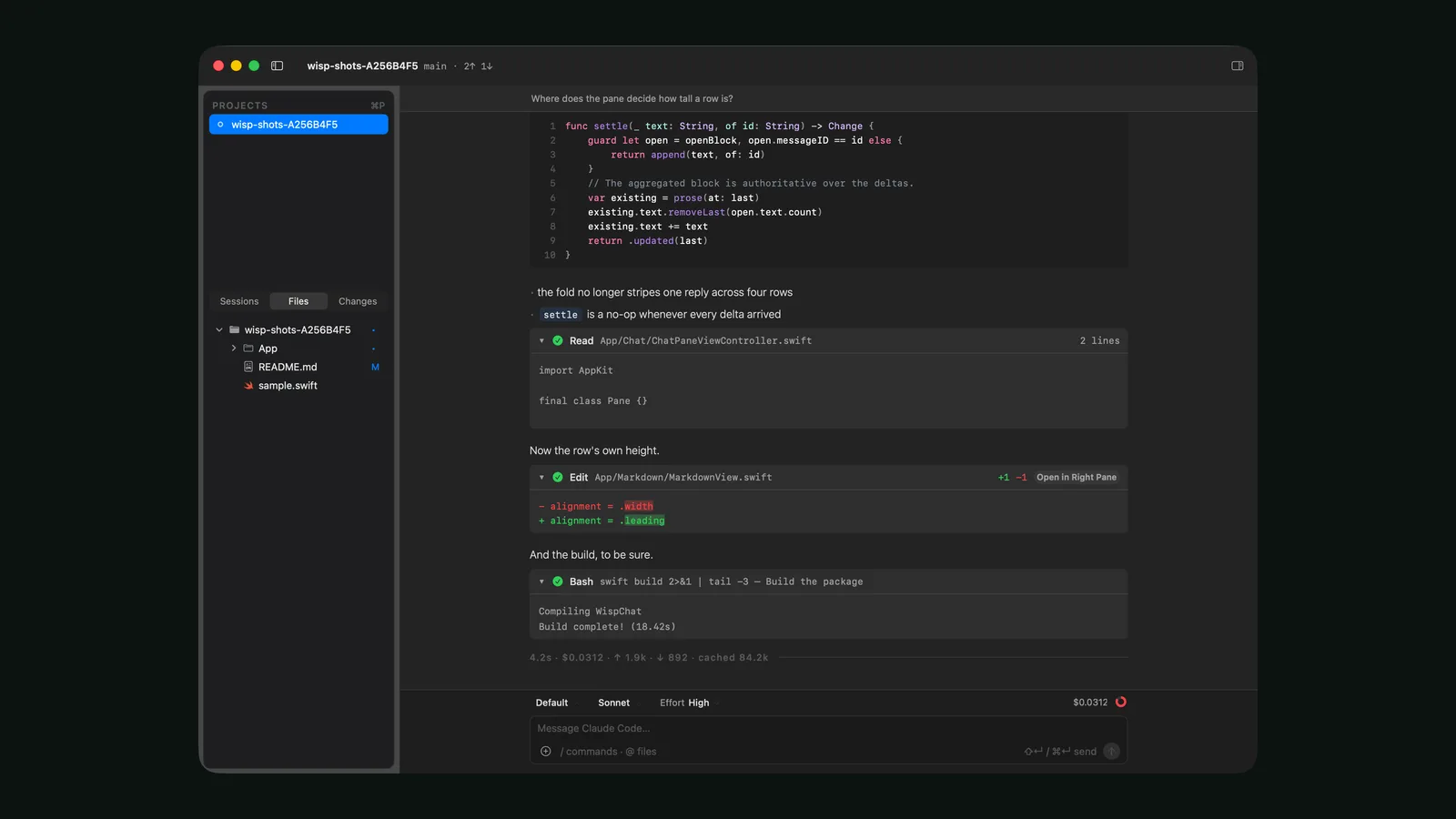
Tonograph is also an MCP (Model Context Protocol) server. Point an AI client such as Claude Desktop at it and the model reads and edits the document you have open, not an exported copy. Its changes join the same history as yours, so ⌘Z undoes them.

The server listens on 127.0.0.1 only, demands a token, and is off by default — it does not start until you enable it in settings. With approval mode on, every operation that touches the document is shown as a diff and waits for your yes.
Free and paid
There is exactly one rule.
The free version does everything except write to disk.
Open, edit, play and write alongside AI — all of that is in the free version. What it cannot do is save, export .gp, or export / print a PDF. A line you can understand without reading a comparison table.
What comes next
- Free version — a direct download from the site, once signing and notarisation are done
- Paid version — a one-time purchase on the Mac App Store. No subscription
- Requirements — macOS 12.0 (Monterey) or later, on Apple Silicon and Intel
- UI — English, Japanese, Spanish, Portuguese and Simplified Chinese, in light and dark
The product site itself is a static site on Astro + Cloudflare Workers, published in Japanese and English. We will keep posting progress in its release notes at tonograph.app.
The engineering and the design thinking behind it are covered in more depth in the case study → CASE: Tonograph
Guitar Pro is a trademark of Arobas Music. Tonograph is not affiliated with, or endorsed by, Arobas Music.
A tablature editor for macOS. Reads and writes .gp, and plays your score through a pedalboard you build yourself. Buy once, fully offline, no telemetry.
The product site tonograph.app went live on 28 July 2026. The app follows: the free version direct from the site, the paid version on the Mac App Store.