

Mockedule, our own product, is now available
We have released Mockedule, a project board that puts the whiteboard, screen design and schedule in one place. Stickies and screen mockups become tasks as they are, and your own AI can drive almost everything over MCP.
Mockedule, the project board Noop has been building as its own product, is now available at mockedule.com. It is free for up to two internal members and one active project, with no card required.
What it is
Mockedule is a project board for production teams that puts the whiteboard, screen design and schedule in one place.
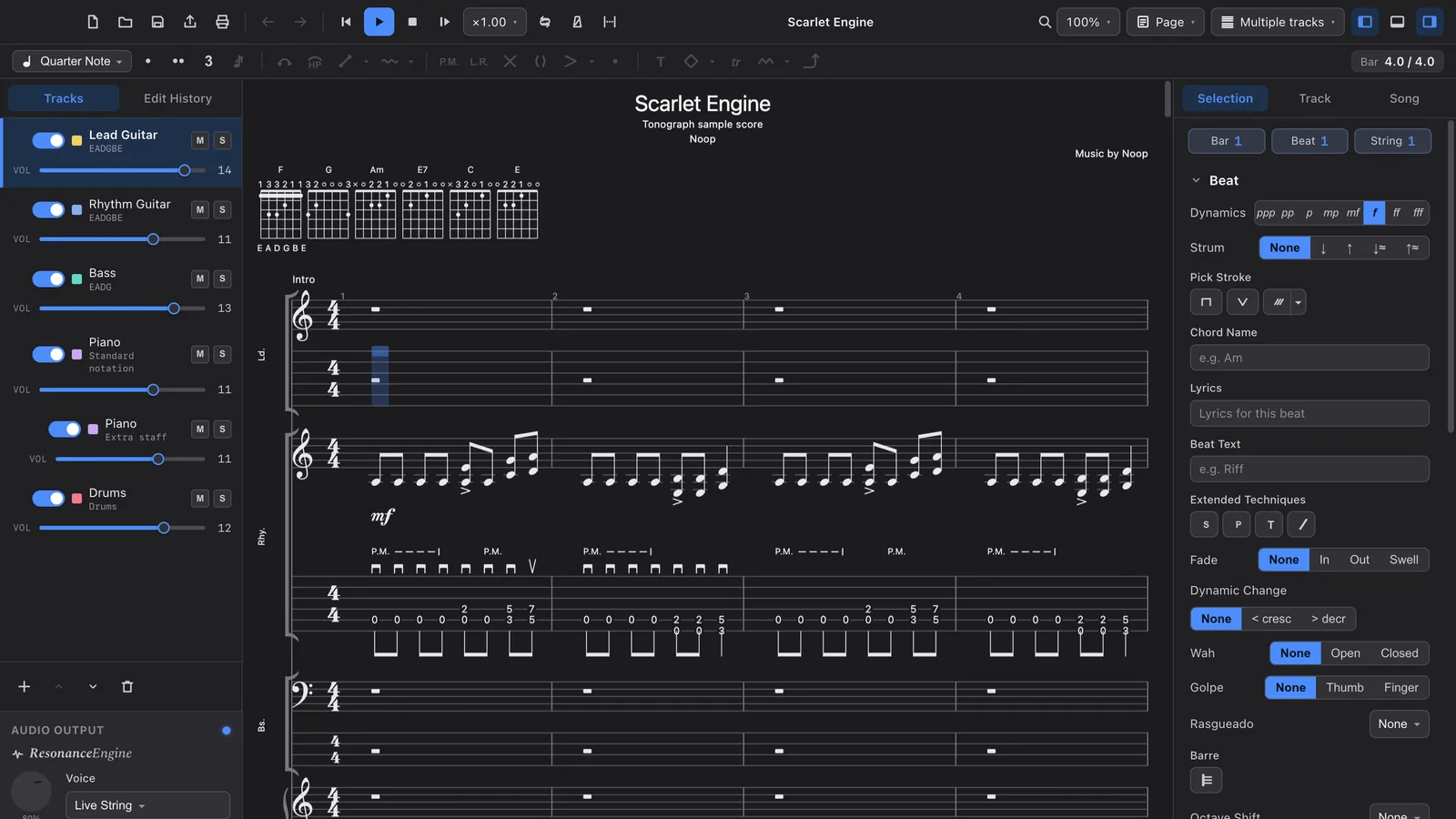
- Board — place stickies, shapes, arrows and images freely, and edit together in real time
- Tasks — turn a sticky or a screen into a task in one click, with an assignee and a due date
- Schedule — tasks line up on the timeline and calendars automatically
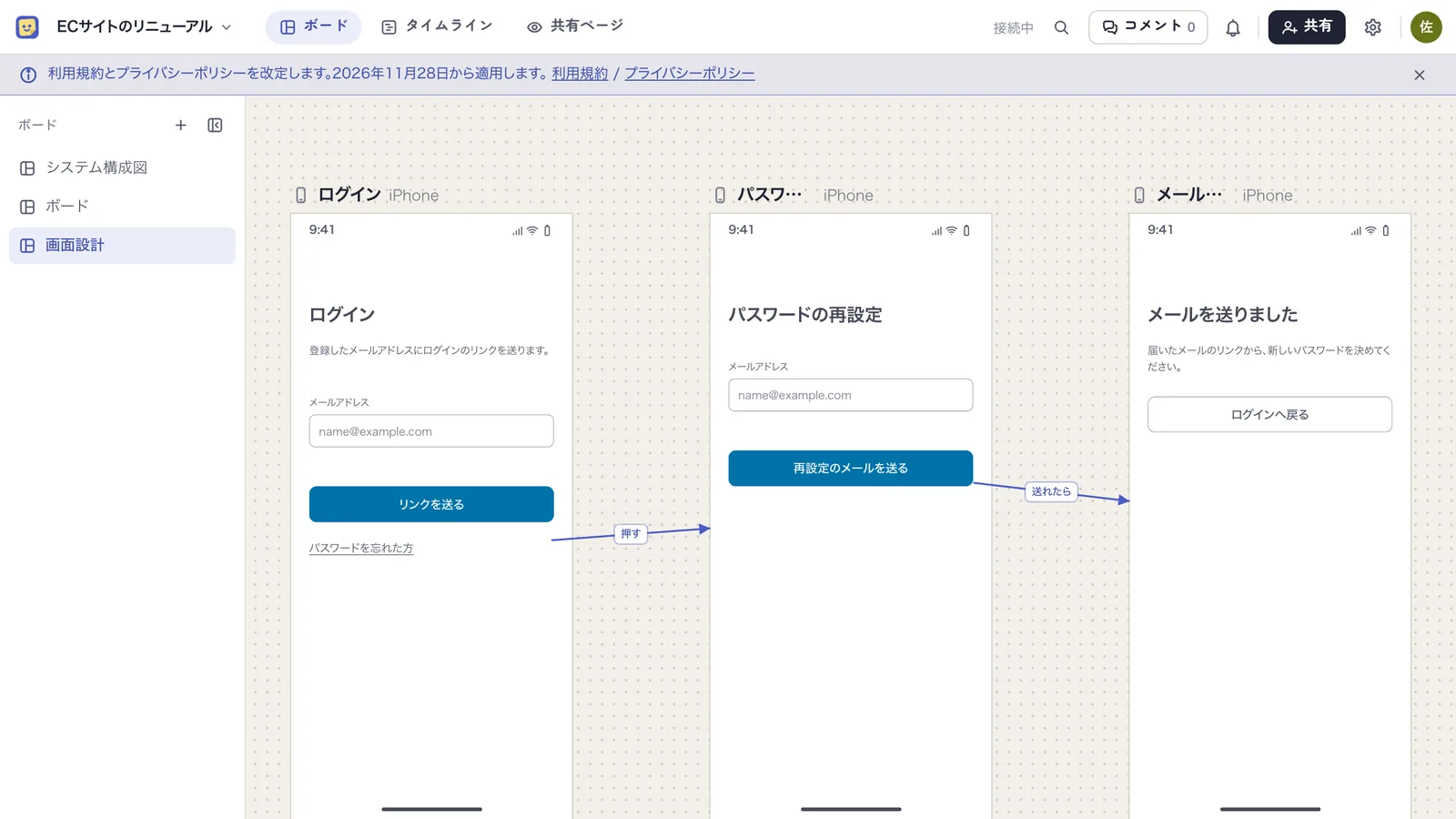
- Screen design — build screens from elements and connect them with transition arrows
- Connect your AI — let your own AI, such as Claude or ChatGPT, read and write the board over MCP
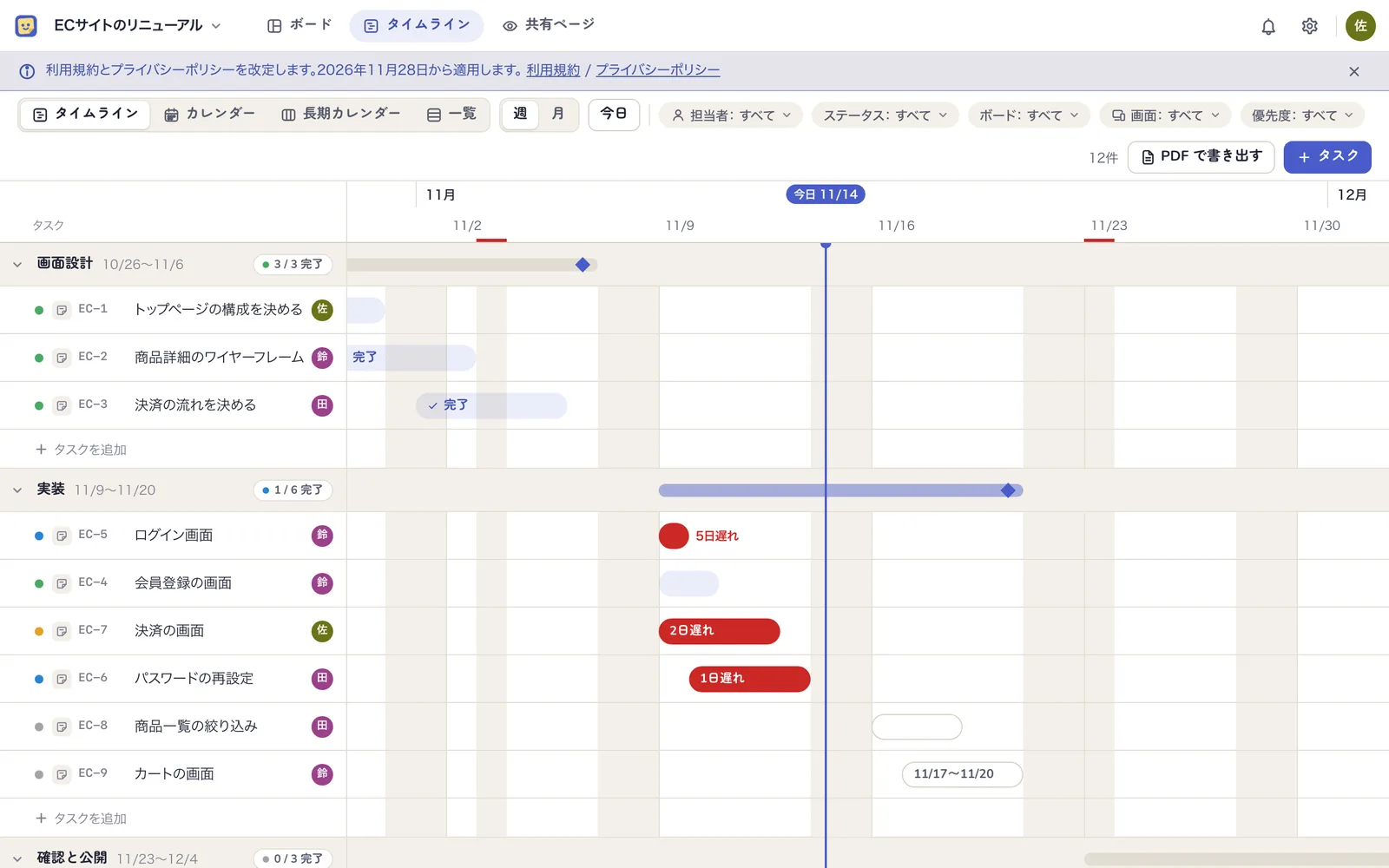
The board and the timeline look at the same data. Change a sticky's due date and the bar moves; drag the bar and the sticky's date changes. There is nothing to copy into another tool.
Why we built it
We wanted a free-form board with full control over MCP
We often want an AI to draw a system diagram or turn meeting notes into stickies. On existing services the MCP tool set is limited or the usage cap is hit quickly, and the work stops halfway.
Mockedule exposes almost everything the web UI can do over MCP: about 80 tools, with no cap on calls — on the free plan too.
We wanted decisions and the schedule linked automatically
Specs and decisions on a board, mockups in a design tool, dates in a task tracker. Sync those three by hand and one of them is always out of date.
In Mockedule the stickies and the screen mockups on the board become tasks as they are. The plan to "build the login screen" and the design of that login screen live in the same place.
In meetings we talk while looking at a calendar
With people outside the company we usually discuss dates while looking at a calendar. So besides the timeline, the schedule has a monthly calendar, a long-range calendar that lays several months side by side, and a list. They all show the same tasks, and you can drag a bar to change a date on the spot.
We have been using it in our own meetings since partway through development, and switching views to suit the conversation has proved more useful than we expected.
Meet Petan
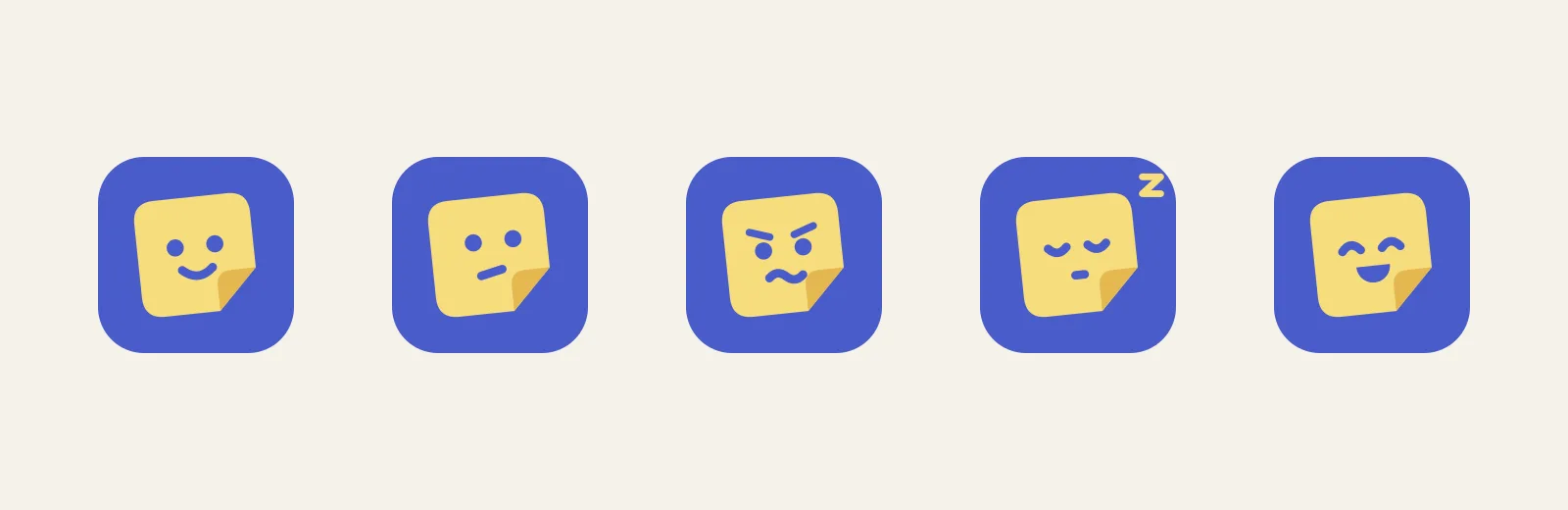
The sticky-note character in the Mockedule logo is called Petan, after the Japanese sound of sticking a note down.
Petan has five expressions: smiling, thinking, worried, asleep and "yay". It greets you on the login screen, ponders when loading takes a while, and sleeps when a board is empty. To stay out of the way, it hides while you are working. Rest assured, it will not turn into that paperclip.
A few more things it can do
- Click through screen transitions in preview — open a screen large in its device frame and press buttons to move to the next one. Clients can walk the flow themselves
- Choosing the right element tells the AI what you mean — screen-design elements have a kind, such as input, tab bar or modal. Pick the fitting one and its kind and state reach the AI as a spec
- Report material gathers itself — task changes and GitHub pull requests and commits are kept as activity, and your connected AI summarises the week's progress from it
Each of these, and how Mockedule is built, is covered in the case study → CASE: Mockedule
Pricing
The free plan has no time limit. Paid plans are flat-rate by the number of internal members, from ¥2,480 a month (before tax). Inviting clients, or engineers and designers from other companies, never changes the price. A first subscription comes with a 14-day free trial.
See the pricing page for details.
Getting started
Sign up from "Start free" at mockedule.com and you can create a board right away. To connect an AI, add this URL in its settings.
https://app.mockedule.com/mcp
How to use it is in the help. Feedback and requests are welcome through the contact page.
Claude, ChatGPT and GitHub are trademarks of their respective owners.
A project board with the whiteboard, screen design and schedule in one place. Stickies and screen mockups become tasks as they are, and your own AI can operate it over MCP.
Launched in November 2026. Free for up to two internal members and one active project; paid plans from ¥2,480 a month (before tax).