
Mockedule
A project board for production teams, built by Noop as our own product. The whiteboard, screen design and schedule are one thing: stickies and screen mockups become tasks as they are and line up on the timeline and calendars. It is an MCP server, so your own AI — Claude, ChatGPT and others — can do almost everything through about 80 tools. It launched in November 2026.
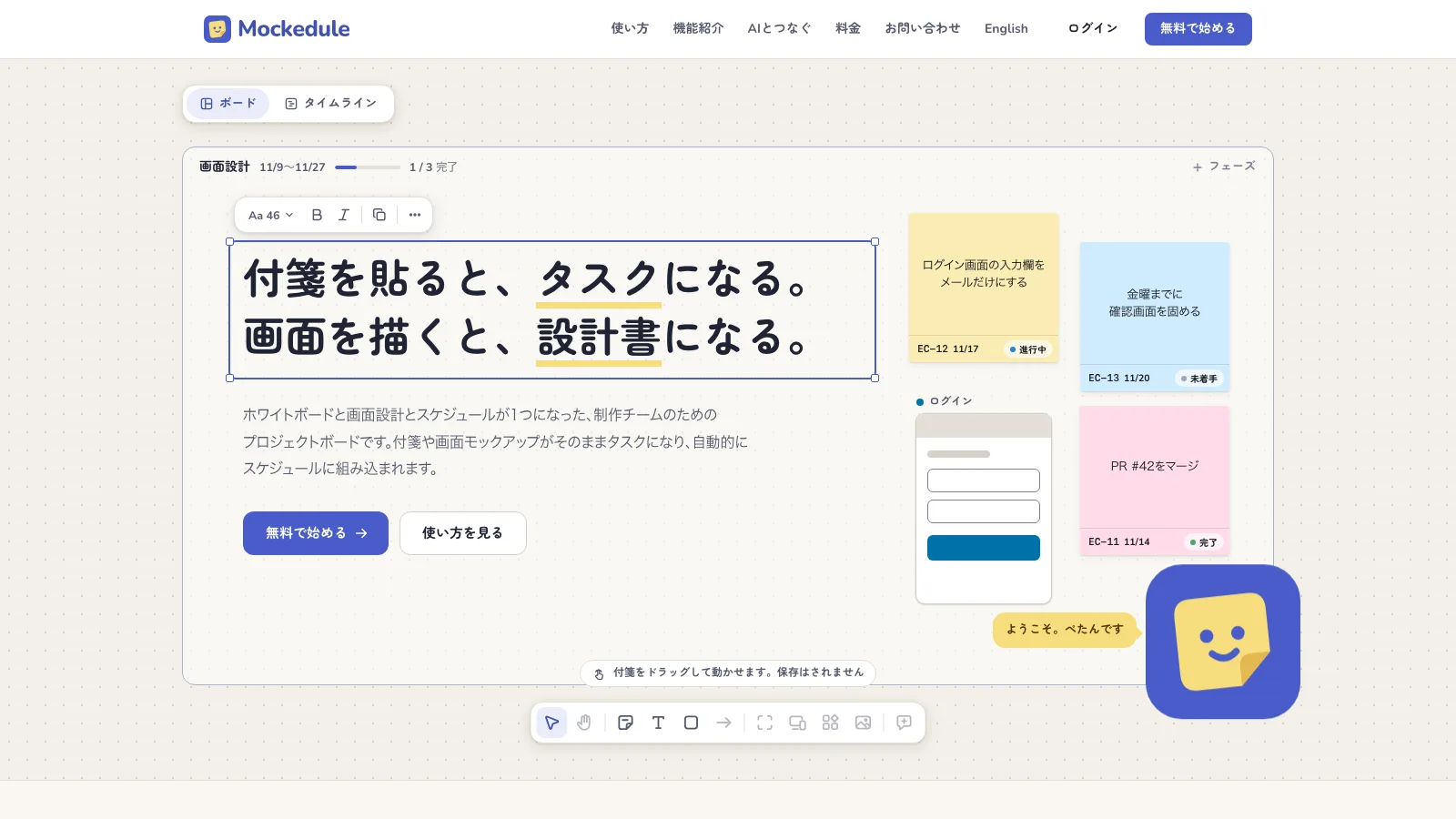
Mockedule is a project board built by Noop as our own product. It puts the whiteboard, screen design and schedule in one place: the stickies and screen mockups you place on a board become tasks as they are, and line up on the timeline.
Service site: mockedule.com
Why we built it
There were three reasons.
First, we wanted a free-form board that could be driven end to end over MCP. Whenever we asked an AI to draw a diagram or tidy up stickies on an existing service, it ran into a limited tool set or a usage cap and stopped halfway.
Second, we wanted specs, decisions and mockups to stay linked to the schedule automatically. Copy what was decided on a board into a separate task tracker and one of the two is always out of date.
Third, meetings. With people outside the company we usually talk dates while looking at a calendar, so we wanted a timeline and several kinds of calendar drawn from the same data.
What you place becomes a task
A board takes stickies, text, shapes, arrows, frames, images and link cards, and the whole team can edit at once. Select a sticky and press "Make task" and it gets a key, an assignee, a start date, a due date and a status.
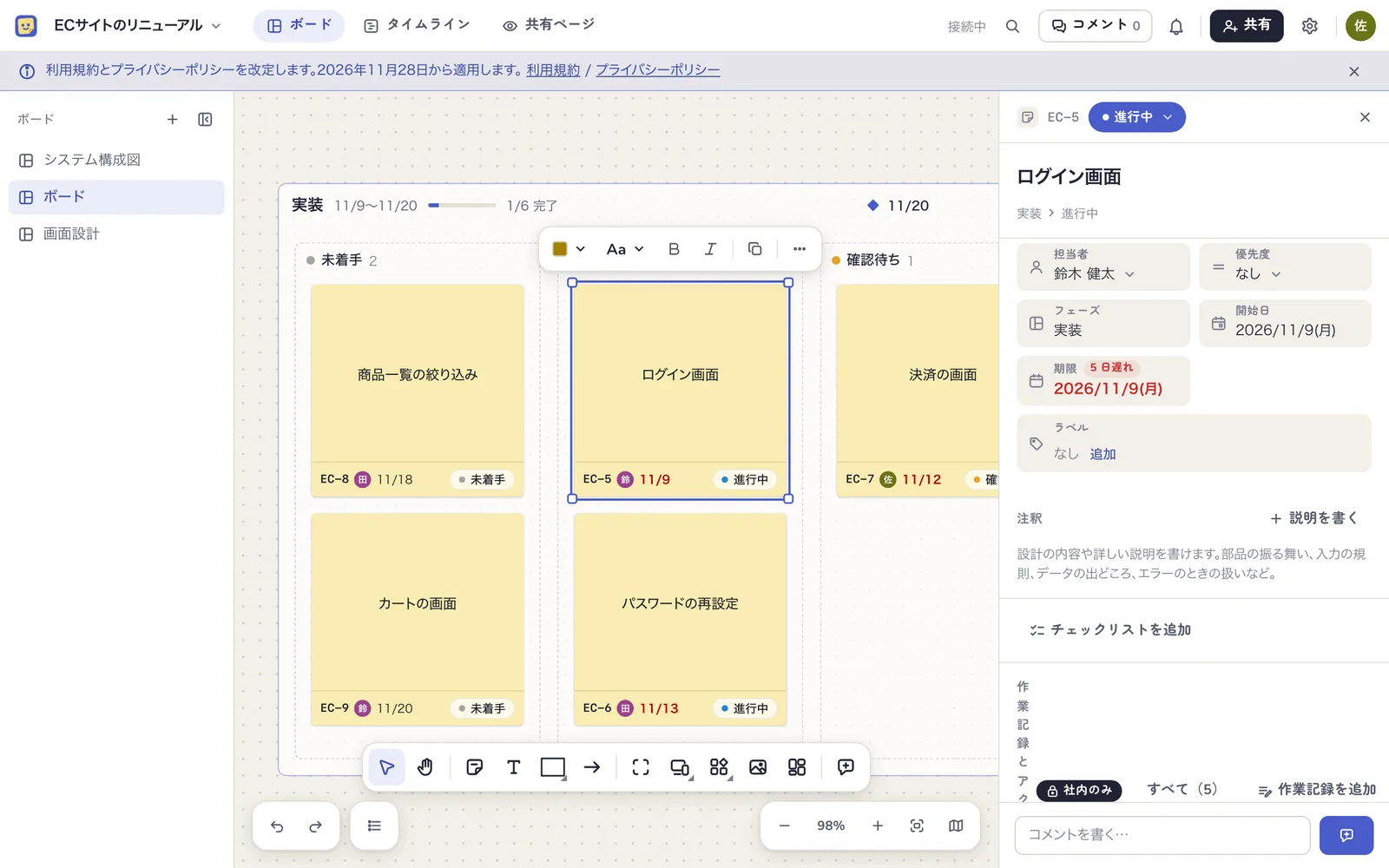
The task is not a separate thing from the sticky. Move the sticky into a status column and the status changes; drag the end of a bar on the timeline and the same due date shows on the sticky. There is nowhere to copy to, so the board and the schedule cannot drift apart.
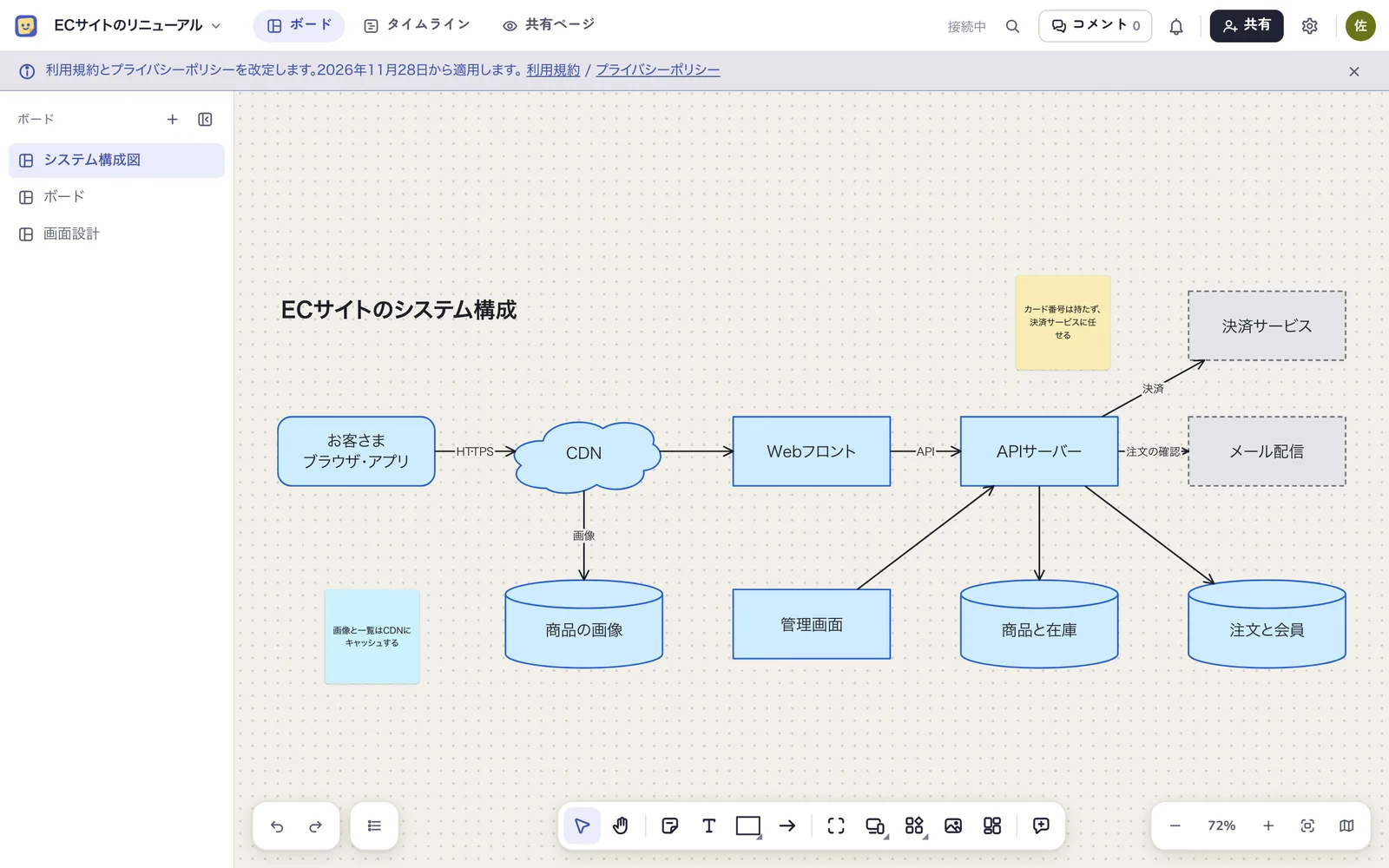
It also works as a plain whiteboard for brainstorming or system diagrams, with no tasks at all.
Four ways to see the plan
The schedule shows every task across all the boards of a project, in four views.
- Timeline — tasks as bars grouped by phase, to see what finishes when
- Calendar — a month laid out by week, for meetings and deadlines
- Long-range calendar — each month as one column, side by side, to see several months at once
- List — tasks as a sortable table
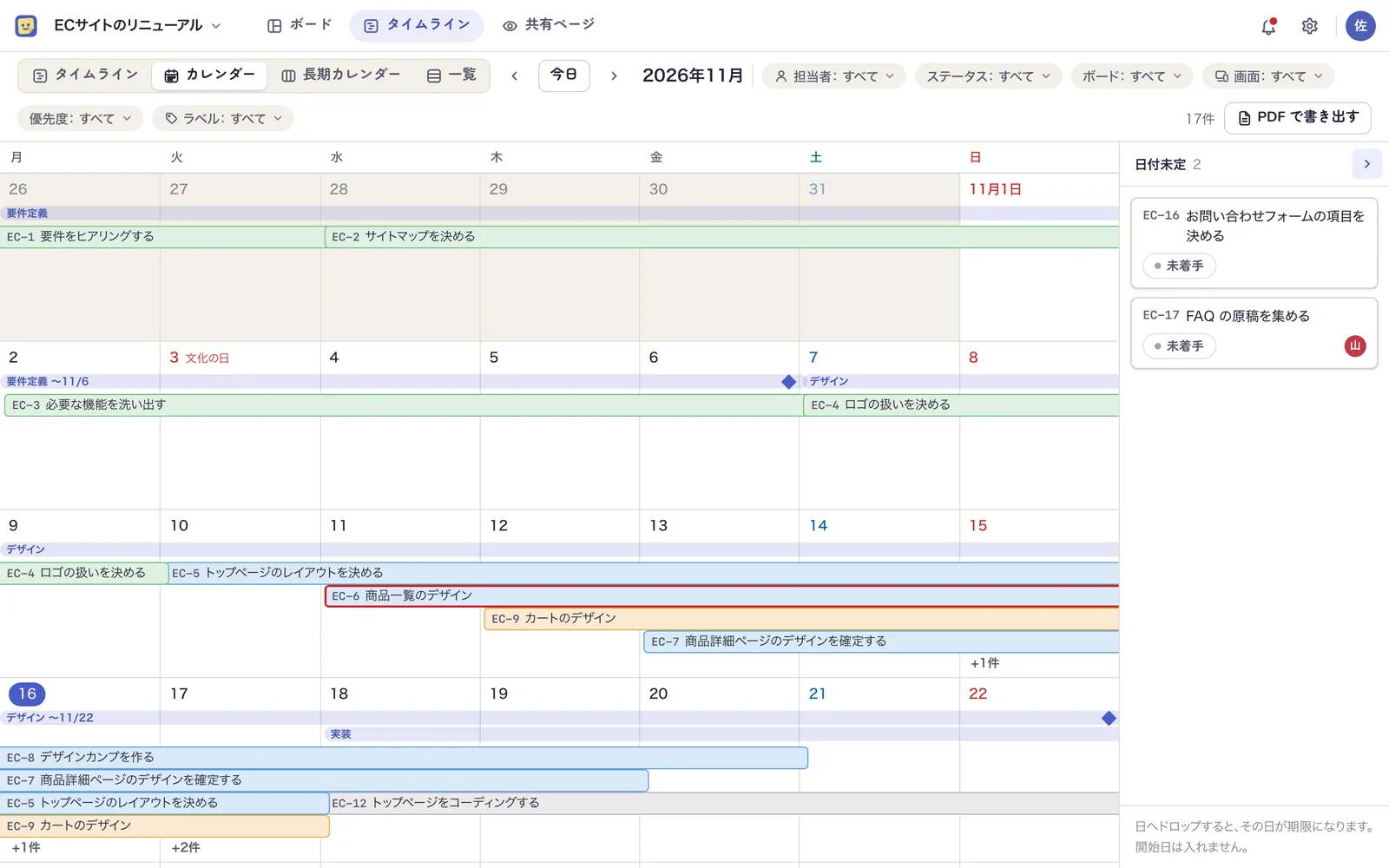
In meetings we switch views to suit the conversation: the calendar for this month's deadlines, the long-range calendar for the months leading up to a launch. The long-range calendar carries Japanese public holidays and era years, and every view exports to PDF. Overdue tasks show how many days late they are, in red.
Screen design, on the board
You build a screen from elements — headings, inputs, buttons — and connect screens with transition arrows. You cannot choose colours or typefaces; only structure and flow are drawn, so nobody mistakes it for a finished design.
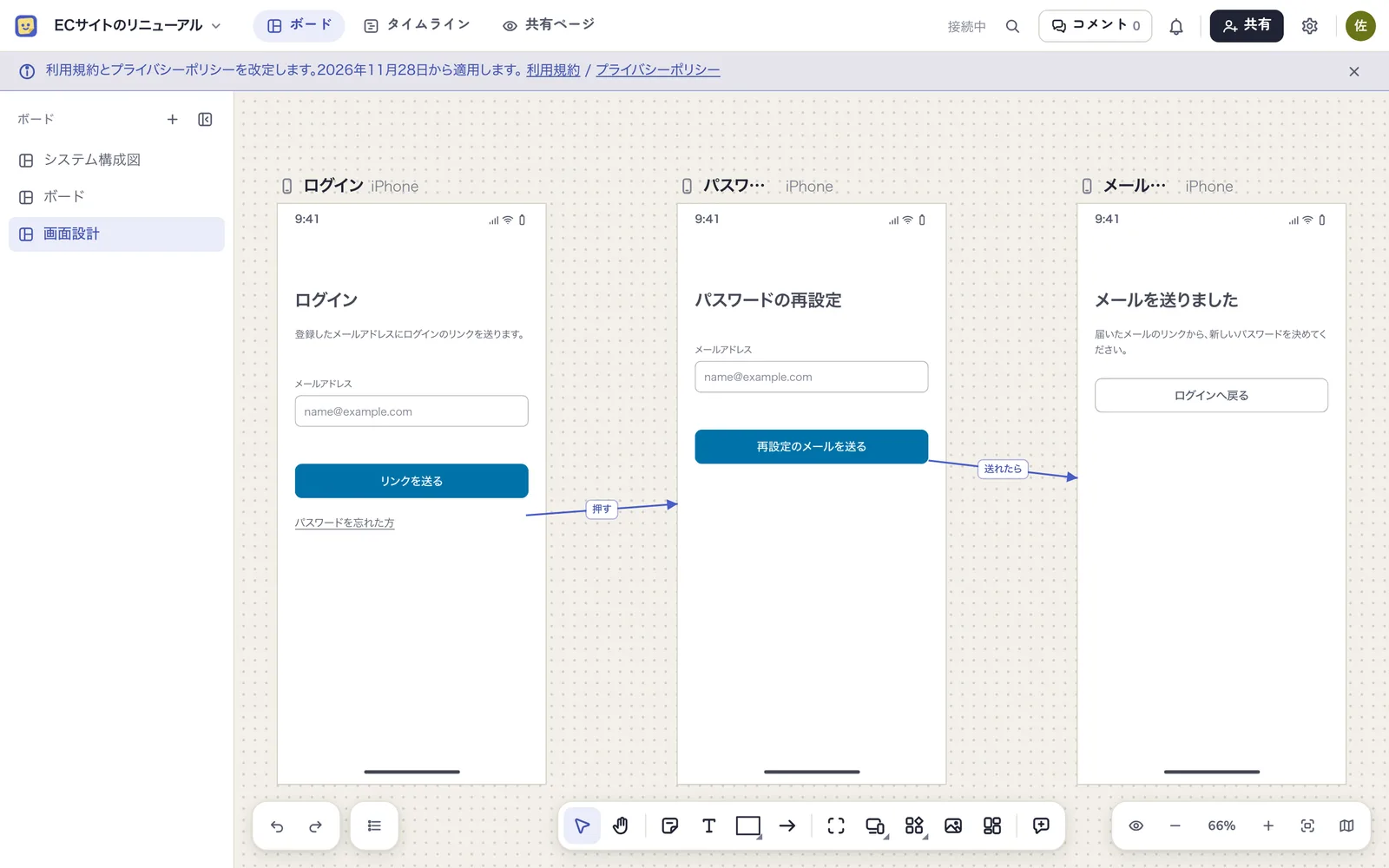
A screen can itself become a task, so the plan to "build the login screen" and the design of that login screen live in the same place.
Click through the flow in preview
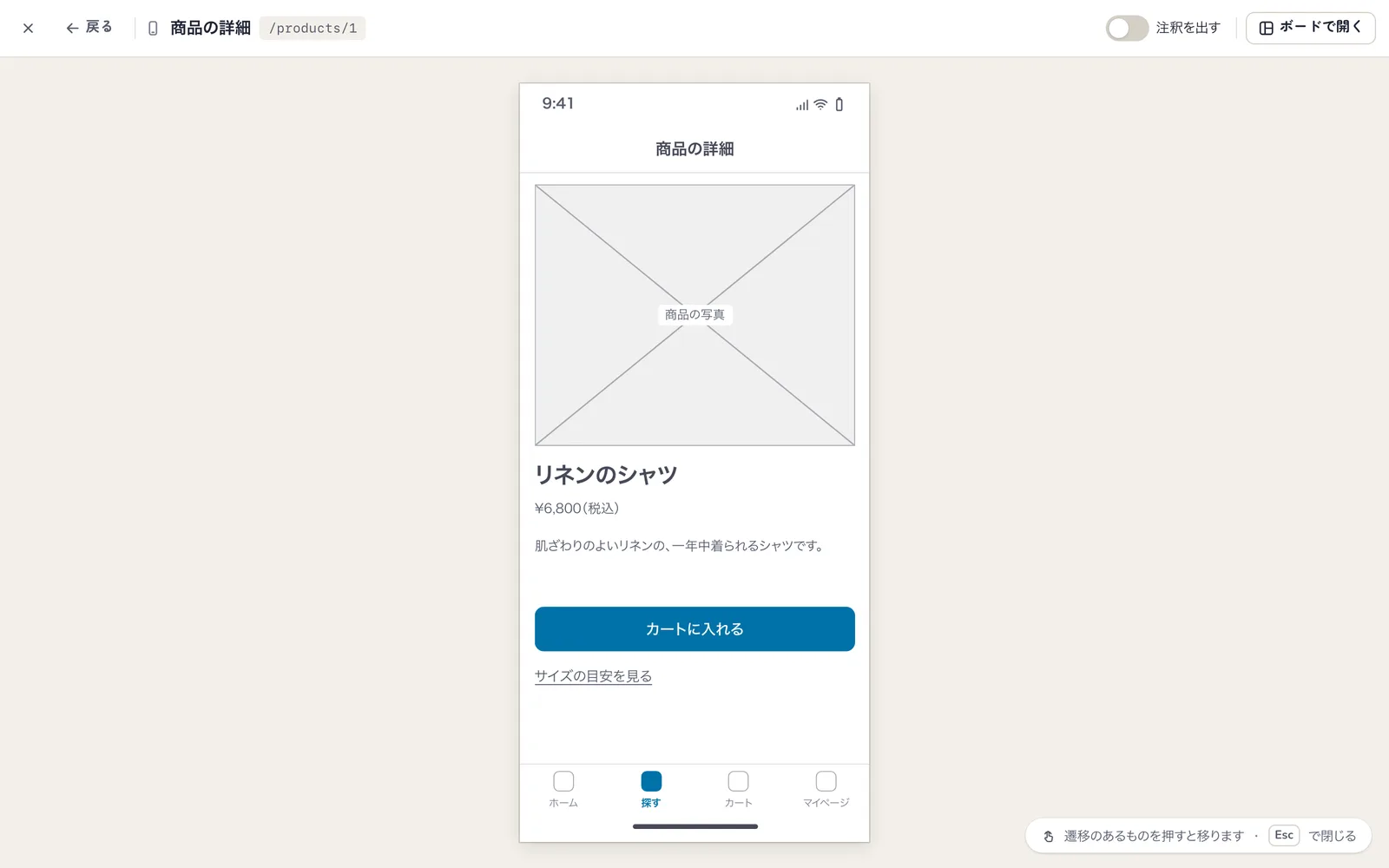
Select a screen and press "Preview" and it opens large, inside its device frame. Press a button that has a transition and you move to the next screen; modals and sheets really open on top. A client can click through the flow, and if you send the URL they start from the same screen.
Choosing the right element tells the AI what you mean
Elements are not drawings. Each has a kind — input, tab bar, modal. Pick the fitting element instead of a rectangle with text and its kind, label, state (error, disabled and so on), code-facing name and the screen's path all reach the AI as a spec.
The spec is Markdown and contains screens, elements, transitions and notes. You can copy it from the screen or let an AI connected over MCP read it directly. When you ask it to implement a screen, it does not have to guess from a screenshot.
Your own AI can do all of it
Mockedule is an MCP server. Connect an AI such as Claude or ChatGPT and you can simply ask:
- Read this repository and draw the system diagram on the board
- Build the screens from login to password reset and connect the transitions
- Turn these meeting notes into stickies, then into tasks with assignees and due dates
- Push the design phase back by a week
As the first reason above says, this is the part we built without limits.
- Every feature is covered — about 80 tools, from boards, screen design, tasks and schedule to comments and member management
- No usage cap — no monthly quota or credits, on the free plan too
- The AI is yours — Mockedule has no AI built in. Board contents reach an AI only when the AI you connected reads them
The AI acts within the permissions of the person who connected it. You choose read-only or read-write when connecting; what the AI changed is highlighted on the board and recorded in the workspace audit log. Operations a person should confirm — billing, deleting an account — are done on screen only.
With Claude Code, one line connects it.
claude mcp add --transport http mockedule https://app.mockedule.com/mcp
Report material gathers itself
Completed tasks, changed due dates, work logs and GitHub pull requests and commits are kept automatically as task activity. All you do is put the task key in the branch name or the PR title.
When the weekly report is due, ask the connected AI to "summarise this week's progress for the client". It writes from that activity, so the chore of remembering and collecting what was done goes away. For things the activity does not contain, such as the reason for a delay, the guidance tells it to ask rather than guess.
Clients get a shared page. It shows the current schedule and this week's activity automatically; clients sign in from an email link and can read it on a phone. Internal-only boards and comments do not appear.
How it is built
Board sync and the API run on Cloudflare Workers. Each board has one Durable Object, and every change goes through it.
- One path for changes. Whether a change comes from the browser, the API or MCP, it passes the same validation, permission check, storage and broadcast. There is no back door only an AI can use, and no operation only an AI is denied
- The server decides who and when. Author and timestamp never come from the sender
- Permissions are decided in one place. The API, MCP and sync call the same functions, so an AI reads only what its owner can see
- Web and MCP stay level. When an operation is added to the UI, an MCP tool is added with it
"Full control over MCP" was not achieved by bolting an API on afterwards. It is what you get when there is one path from the start.
Pricing and where it stands
Mockedule launched in November 2026. It is free for up to two internal members and one active project. Paid plans are flat-rate from ¥2,480 a month (before tax), and inviting clients or people from other companies never changes the price. The UI and emails are available in Japanese and English.
Partway through, the development of Mockedule itself moved onto a project in Mockedule.
How to use it is in the help, and connecting an AI is covered in Connect your AI.
Claude, ChatGPT, GitHub and Figma are trademarks of their respective owners.
Hand a board to an AI on existing services and it stops halfway — the MCP tool set is limited and usage caps are hit quickly. Specs and mockups decided on a board get copied into a separate task tracker, and one of the two goes stale. And because we talk dates with outside partners while looking at a calendar, the timeline and calendars had to come from the same data.
Each board has one Durable Object, and a change from the browser, the API or MCP passes the same validation, permission check, storage and broadcast. Stickies and tasks are not separate data, so the board and the schedule look at the same thing. Screen-design elements carry a kind, a state and a name, and screens and transitions go to an AI as a Markdown spec. There is no built-in AI: your own AI acts within the permissions of whoever connected it. Whenever an operation is added to the UI an MCP tool is added with it, keeping web and MCP level.